
How to upload data files
- Select an existing Hosted Database connection or create a new one. See Creating and Managing Database Connections.
- Use the Upload Datafile button to add a new datafile
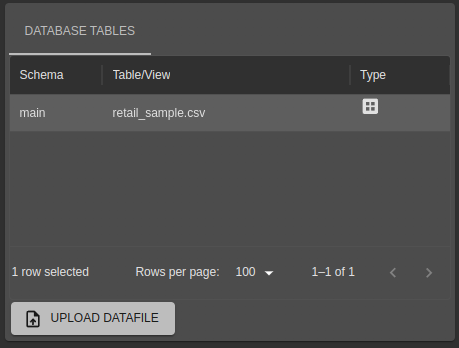
Uploads may be size-limited depending on various factors. In any case, file uploads are designed for small data files to testing things quickly.
Required data file format
Files should be formatted according to these rules:
- One data record per line, with lines terminated by the Line Feed character (commonly referred to as “\n” or Hex 0xA) or a combination of Line Feed and Carriage Return (“\r\n”, Hex 0xD 0xA).
- Fields within a record should be delimited (separated) by a single common character such as a comma, semi-colon or tab (\t). If the value of a field contains the delimiter, encose the value in double quotation marks.
- Date and Timestamp fields should use ISO 8601 format.
This is the format tools such as spreadsheets and database exports use when creating “CSV” format files so most data files will generally “just work”.
Deleting
The entire hosted database can be deleted using the left-hand navigation menu - highlight the database and use the “Delete” (bin) icon. A confirmation will be presented before it is deleted forever. All associated data will also be deleted.
Best Practices
While it is possible to upload many files to a single Hosted Database, if the file contains more than a few thousand rows of demo data it is usually preferable to upload a single file per database. You can create as many Hosted Database connections as you need.