
Creating a Connection
Click the “plus” button on the navigation menu next to “Data Sources”. Change the Connection Type to Google BigQuery. There are many fields to complete, but most can be set automatically by uploading a Service Account File.
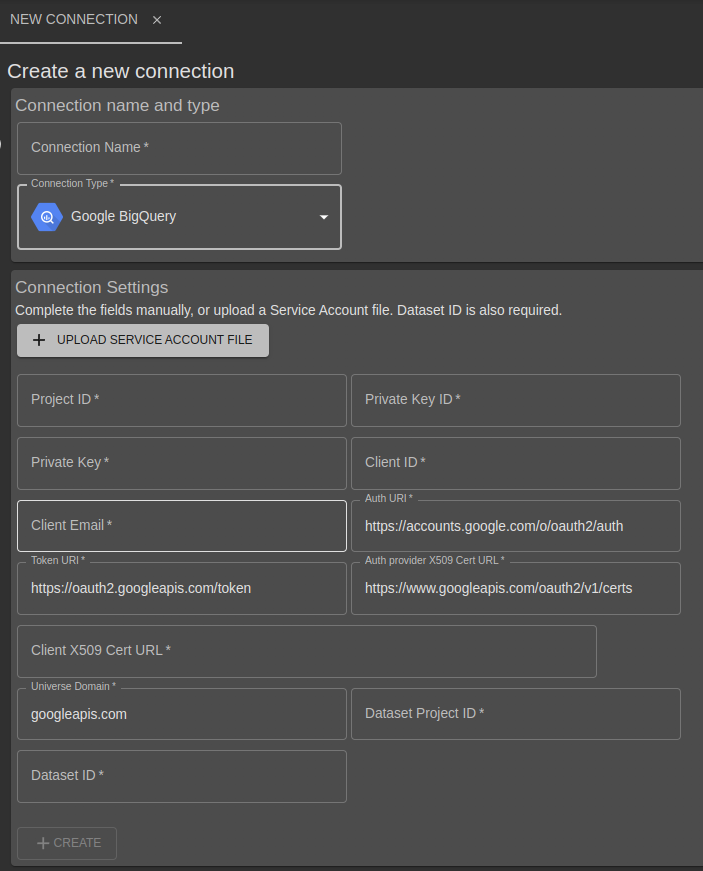
Complete the Connection Settings and click “Create”. The Dataset ID is the only field not contained in a Service Account file, and can be found in the BigQuery console.
Apart from the Dataset ID, fields are automatically completed by uploading a Service Account file. See “Creating a Service Account” below for details on how to generate such a file.
The Dataset Project ID is usually the same as the Project ID but not always - if you are using a dataset from a different project to the service account project update it after uploading the service account file.
Creating a Service Account
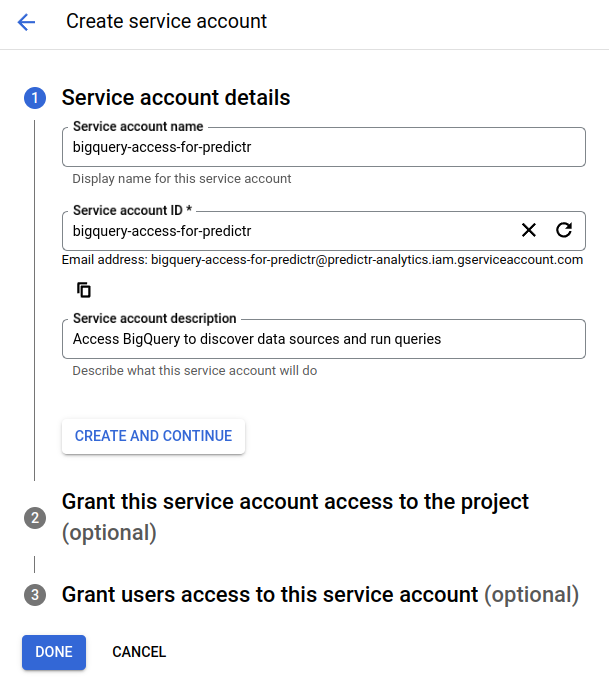
Create a new Service Account in the IAM section of the Google Cloud Console. Provide a name and description.
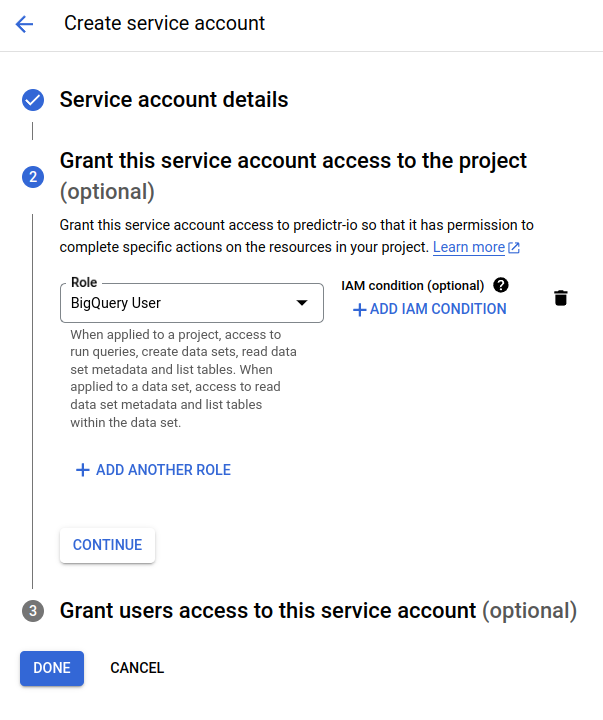
Grant the “BigQuery User” role in order for this account to be able to call the BigQuery APIs
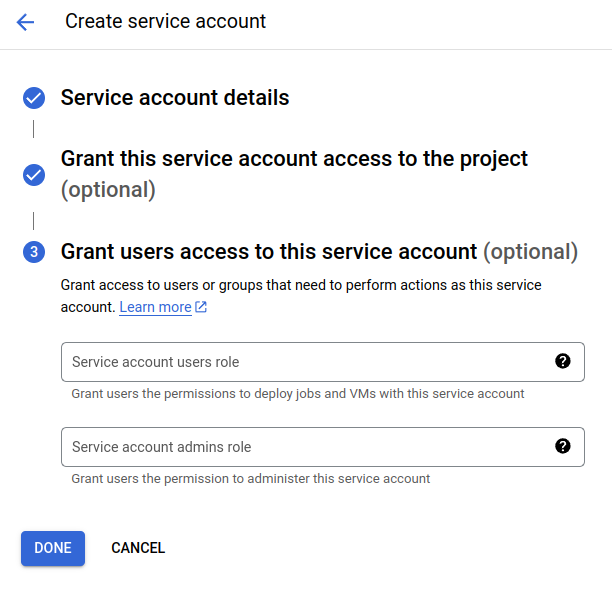
 It is not required to grant users access to this service account, but you can if required. Click “Done”
Once created, selected the service account from the list and click the Keys tab. Select Add Key and create a new key
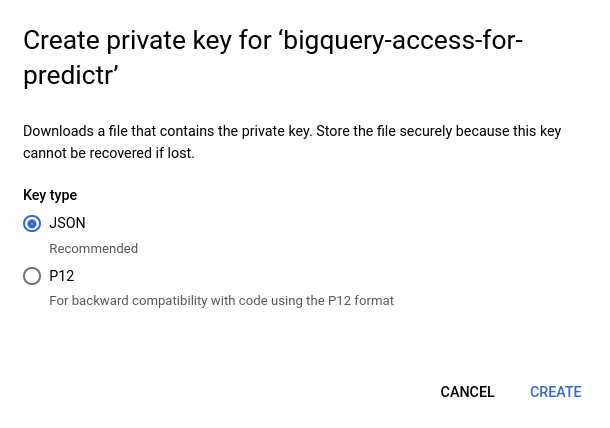
Use JSON as the format, and click Create. A new file will be downloaded - this is the file to upload into to predictr.io in “create connection”.
Required permissions
The steps above generate the required service account, however you must also grant permissions in BigQuery to the specific datasets you want to use.
Select the Dataset in the BigQuery console and use the Sharing button
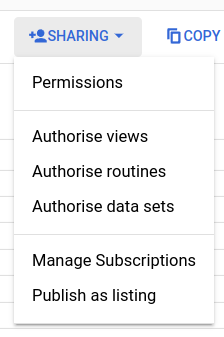
Select “Permissions” and then “Add Principal”.
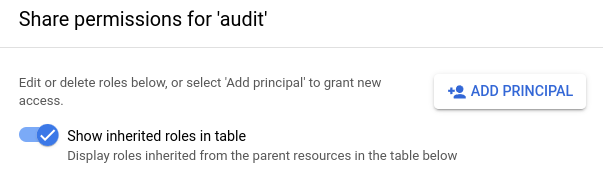
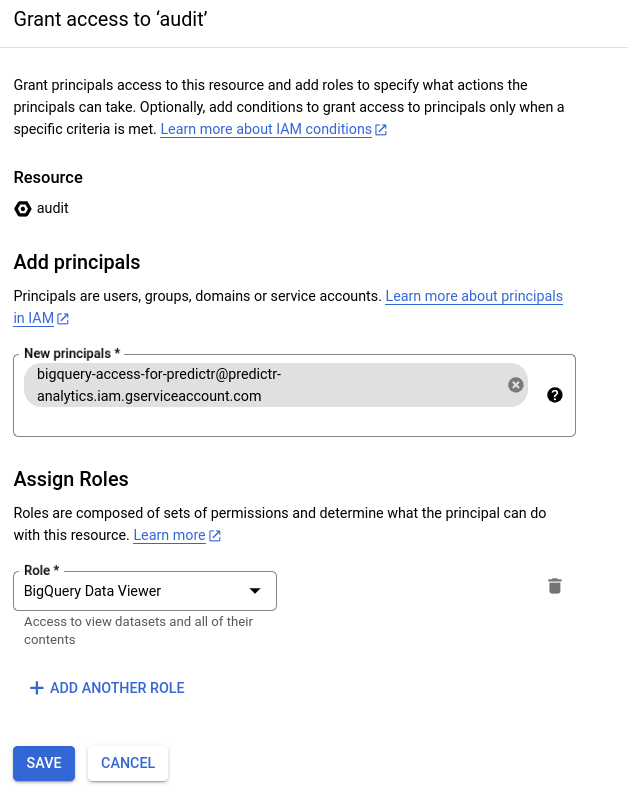
The principal is the service account just created, and the role required is “BigQuery Data Viewer”.
Viewing tables and data
Once a connection has been established, use the general help in Creating and Managing Database Connections to view tables, views and data previews.
Deleting a Connection
Deleting a connection only removes the connection settings, the database itself isn’t changed.